The Twitter/X NFT Sales Bot I Recommend in 2026
The Twitter/X NFT Sales Bot I Recommend in 2026 (and the Pay-Per-Post Math)
You probably clicked here because you want NFT sales tweeted from your collection's X account, and you've noticed every tutorial from 2023 either has the wrong API tier info or silently relies on a Free tier that no longer exists for new developers. This post is the working setup for 2026, including what X actually charges per tweet (spoiler: more than it used to, especially with URLs).
The bot is abotbasho, the same one I cover in the Discord setup post. It posts NFT sales decoded directly from on-chain events, with no Reservoir or OpenSea API in the path. If you've already got the Discord side running, the Twitter side is one extra service in the same docker compose.
Background on why I built it instead of using a hosted bot: abotbasho: The Self-Hosted NFT Sales Bot I Built in 2026.
What X actually charges (and the URL gotcha)
This is the section every post-2026 tutorial should open with. X moved to pay-per-post pricing in February 2026, so there's no Free tier for new developers anymore. Current rates as of mid-2026:
What you doWhat it costsPost a tweet (no URL in the body)~$0.015 per tweetPost a tweet that includes a URL~$0.20 per tweetRead a post via the API~$0.005 per read
The 20× markup on link-bearing posts is, in my opinion, pretty diabolical. It's also why abotbasho's default tweet template doesn't include URLs in the body.
Math by sales volume:
Sales / monthX cost (no URLs)X cost (every tweet has a URL)100~$1.50~$20500~$7.50~$1001,000~$15~$2005,000 (launch week)~$75~$1,000
For most NFT collections, sticking to no-URL tweets keeps the X bill in the single or low double digits per month. If you need URLs in every tweet, factor that into the cost equation early.
Two notes on the structure:
- Legacy Basic ($200/month) is still available to existing subscribers, but closed to new signups. If you already had a Basic subscription before February 2026, that's an option for high-volume use; otherwise pay-per-post is your only path.
- Pay-per-post is credit-based. You buy credits in the X Developer Console up front, and the API debits per call. Plan your initial credit purchase based on the math above so you don't run dry mid-week.
What you're actually building
Same architecture as the Discord post. One indexer, one database, two consumers.
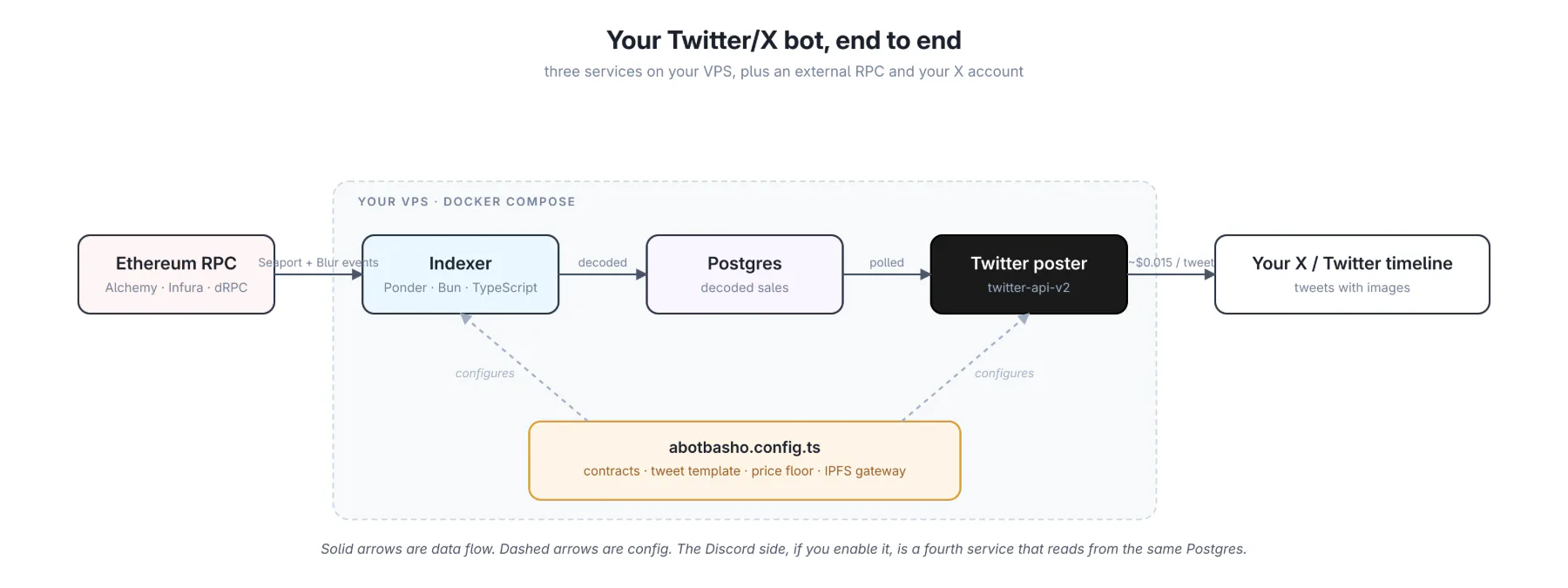 The indexer subscribes to Seaport and Blur Exchange v2 events for your collection. It writes decoded sales to Postgres. The Twitter service polls Postgres for new rows, formats each into a tweet (with image), and posts to your account.
If you also run the Discord side, both posters read from the same database. They never coordinate; if one is down, the other keeps going.
Prerequisites
You need:
- An X account to post from. The bot tweets as this user. Create a fresh account if you don't want sales mixed with your personal posts.
- An X developer account at developer.x.com. Account is free; usage is paid (see above).
- Initial API credits purchased in the X Developer Console. Even $5-10 is enough to start; refill as needed.
- An Ethereum mainnet RPC URL. Free Alchemy, Infura, or dRPC is fine for one collection.
- Bun 1.1+ for local dev, or Docker + Docker Compose for production.
- A small always-on machine. The same VPS that runs the Discord bot is fine; the two services share the indexer.
Step 1: Create the X app
This is the part everyone gets wrong, because the order matters. Set permissions before generating tokens.
- Sign in at developer.x.com with the account you want the bot to post from.
- Create a project (top-level container) and an app inside it. Name doesn't matter.
- Open the app's Settings page.
- Find User authentication settings and click Set up (or Edit if it's already configured).
- Under App permissions, choose Read and write.
- Save.
If you skip step 5 and generate tokens first, those tokens are stuck at read-only. You will get a 403 Forbidden when the bot tries to tweet, and the only fix is to come back here, change the permission, then regenerate the tokens. Do it in the right order the first time.
Step 2: Generate the four credentials
In the app's Keys and tokens page, generate:
- API Key and API Key Secret (these are app-level)
- Access Token and Access Token Secret (these are user-level; clicking generate makes them for the X account that owns the developer project)
You'll have four strings. They map to env vars like this:
TWITTER_API_KEY=...
TWITTER_API_SECRET=...
TWITTER_ACCESS_TOKEN=...
TWITTER_ACCESS_SECRET=...
abotbasho uses OAuth 1.0a user context, which is why you need the access tokens, not just the bearer token. Keep all four somewhere safe; the secrets are not retrievable after the page closes.
Step 3: Clone abotbasho and configure
If you've already done the Discord setup, skip ahead to step 4. You just need to add the four Twitter env vars to your existing .env.
If this is your first abotbasho deploy:
git clone https://github.com/abashoverse/abotbasho.git
cd abotbasho
cp .env.example .env
Open .env and fill in:
PONDER_RPC_URL_1=https://eth-mainnet.g.alchemy.com/v2/YOUR_KEY
TWITTER_API_KEY=...
TWITTER_API_SECRET=...
TWITTER_ACCESS_TOKEN=...
TWITTER_ACCESS_SECRET=...
The _1 suffix on the RPC URL is Ponder's convention for chain ID 1 (Ethereum mainnet).
Then open abotbasho.config.ts at the repo root and fill in your collection:
export default {
  project: {
    name: "My Collection",
    url: "https://mycollection.xyz"
  },
  primary: {
    label: "mycollection",
    displayName: "My Collection",
    address: "0xYourContractAddressHere",
    deployBlock: 12345678n,
    totalSupply: 10000
  },
  tweetPrefix: "🔥",                    // optional; prepended to every tweet's title line
  ipfsGateway: "https://ipfs.io/ipfs/"  // optional; needed if your art is on IPFS
}
Two Twitter-specific fields worth highlighting:
tweetPrefixprepends a string (usually an emoji) to the title line of every tweet. Optional, but useful for branding without burning characters.ipfsGatewayis what the bot uses to fetch your art for media upload. The default ishttps://ipfs.io/ipfs/. If your collection uses a different gateway (Pinata, Cloudflare, your own), set it here. If image uploads silently fail, this is the first thing to check.
Step 4: Run it locally and post a test tweet
Before deploying to a VPS, run locally to confirm credentials are right:
bun install
bun run dev:indexer    # in one terminal
bun run dev:twitter    # in another terminal
The indexer backfills from your deployBlock. For an old collection this can take a few minutes. The Twitter process won't post historical sales; it only posts events that arrive after it's running, so the first organic sale after startup is your first tweet.
If you want to verify without waiting, use the Discord /debug command (if you've set up Discord) to push a sample event. The Twitter consumer will pick up the same event and tweet it. Otherwise, just wait for a real sale. (Either way, that test tweet costs you ~$0.015 of your X credit balance.)
Step 5: Deploy to production
On your VPS:
git clone https://github.com/abashoverse/abotbasho.git
cd abotbasho
# scp .env and abotbasho.config.ts to the box
docker compose up -d --build
That brings up indexer-db, indexer, discord, and twitter together. If you want only Twitter (no Discord):
docker compose up -d --build indexer-db indexer twitterTo watch what's going out:
docker compose logs -f twitterWhat a sale tweet looks like
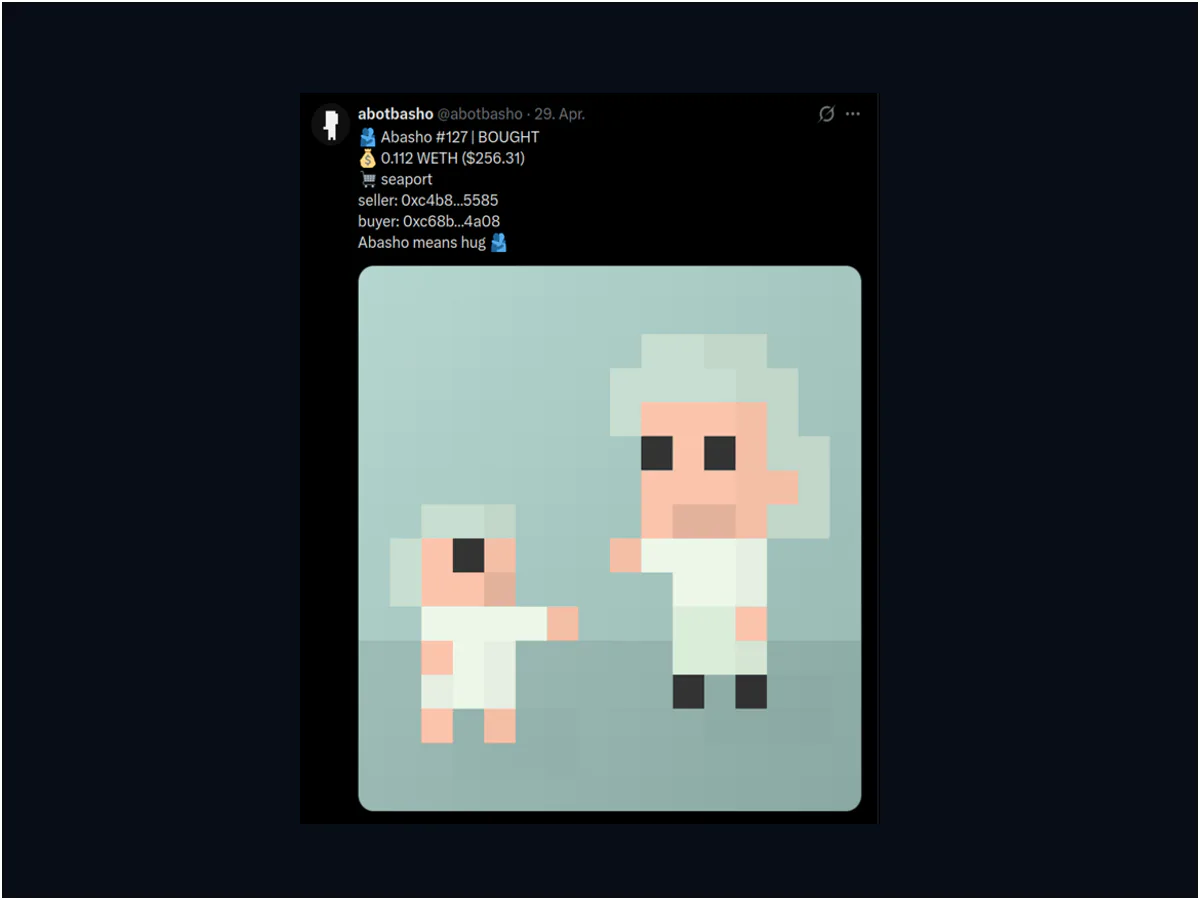
abotbasho's default tweet format:
🔥 My Collection #1234 | BOUGHT
💰 0.5 ETH ($1,234.56)
🛒 seaport
seller: vitalik.eth
buyer: 0x9831…6744
<custom message from config>
Plus the token's image as media. If a tweet would exceed 280 characters, the custom message line is truncated first; URLs count as 23 characters per X's standard.
To customize the appended message, set messages.sale in abotbasho.config.ts:
messages: {
  sale: "Welcome to the collection."
}
Or change it at runtime via the Discord /config message admin command (yes, the Twitter content is editable from Discord; the config service is shared).
One thing to be careful about: if you put a URL in messages.sale, every tweet includes that URL, which jumps the per-tweet cost from $0.015 to $0.20. For a busy collection that adds up fast. The default template is URL-free for exactly this reason.
How the image attachment works
Worth understanding because it's a common quiet failure. abotbasho uploads media via the v1.1 media/upload endpoint and attaches the resulting media_id to the v2 tweet. This is a supported pattern; X allows attaching media via this flow regardless of how the tweet itself is billed. Two implications:
- Images larger than 5 MB are skipped. The tweet still goes out, just without media (and you still pay for the tweet). If you have a collection with huge generative outputs, they may not get attached. Resize at the gateway or use a smaller variant for the bot.
- If your IPFS gateway is slow or rate-limiting you, image uploads will silently fail. Tweets still post (and still cost). Check
docker compose logs twitterfor media upload errors. The fix is usuallyipfsGatewayin config.
Keeping your X bill under control
Pay-per-post means every tweet costs money, so the levers that mattered for the old Free tier matter even more now. Three things keep your bill predictable:
- Don't include URLs in your tweet template. abotbasho's default doesn't, for exactly this reason. Anything you add to
messages.sale,messages.wrap, etc. that contains a URL pushes that tweet into the $0.20 bucket. - Add a sales price floor. Filter out the long tail of dust transfers and sub-floor flips that don't generate engagement anyway. Set this in the plugin config (
plugins.events.minPriceEth: 0.05, for example). For a collection with a 0.05 ETH floor, posting every tiny flip below the floor is mostly noise and costs you money per skip-worthy tweet. - Disable wrap/unwrap if you don't need them on Twitter. If you have a wrapper contract but only care about announcing wraps and unwraps in Discord (where they're free), turn the plugin off on the Twitter side. Each event you skip saves a tweet.
For launch weeks specifically: a 5,000-piece launch where every sale gets a tweet costs ~$75 in X credits (no URLs) or ~$1,000 (with URLs). Worth pre-funding your credit balance and considering a temporary higher price floor for that period.
Troubleshooting
The three errors that come up most.
403 Forbidden on every tweet. Your access tokens were generated before you set the app to Read+Write. Go back to App permissions, confirm Read+Write is selected, then regenerate the access tokens. Update .env. The API key/secret stay the same.
Tweets post but never have an image. Check docker compose logs twitter for media upload errors. Almost always one of:
- The IPFS gateway in
ipfsGatewayis down or rate-limiting. - The image is over 5 MB.
- The token's metadata doesn't actually have an image URL.
Unexpectedly high X credit burn. You probably have a URL somewhere in messages.sale, messages.wrap, or messages.unwrap that's pushing every tweet into the $0.20 bucket. Open abotbasho.config.ts, check the message templates, and remove the URL from the body. Re-deploy.
What's next
If you also want sales going to Discord (different audience, no per-post cost), see The Discord NFT Sales Bot I Recommend in 2026. It uses the same indexer; the Discord service is just another consumer of the same Postgres.
For the design rationale (why I'm not using Reservoir or OpenSea APIs, why self-hosted at all), see abotbasho: The Self-Hosted NFT Sales Bot I Built in 2026.
If you find a bug or want a feature, the repo is at github.com/abashoverse/abotbasho. I'd rather fix the bot than have you fight the docs.
Written by
nodestarQ
devbasho
Read next
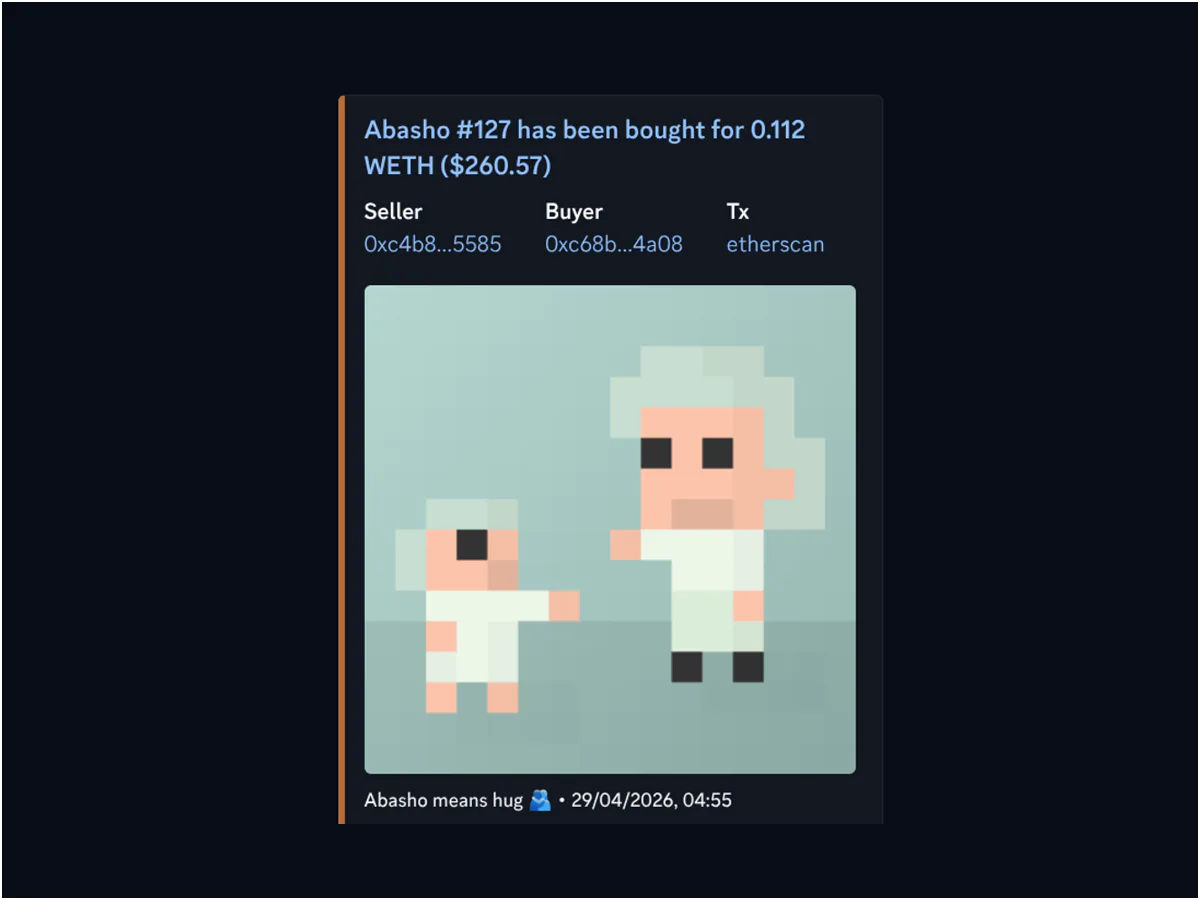
The Discord NFT Sales Bot I Recommend in 2026 (Setup Guide)
Self-hosted Discord NFT sales bot setup with abotbasho. From the dev portal to a Docker Compose deploy on your VPS, every step in one post.
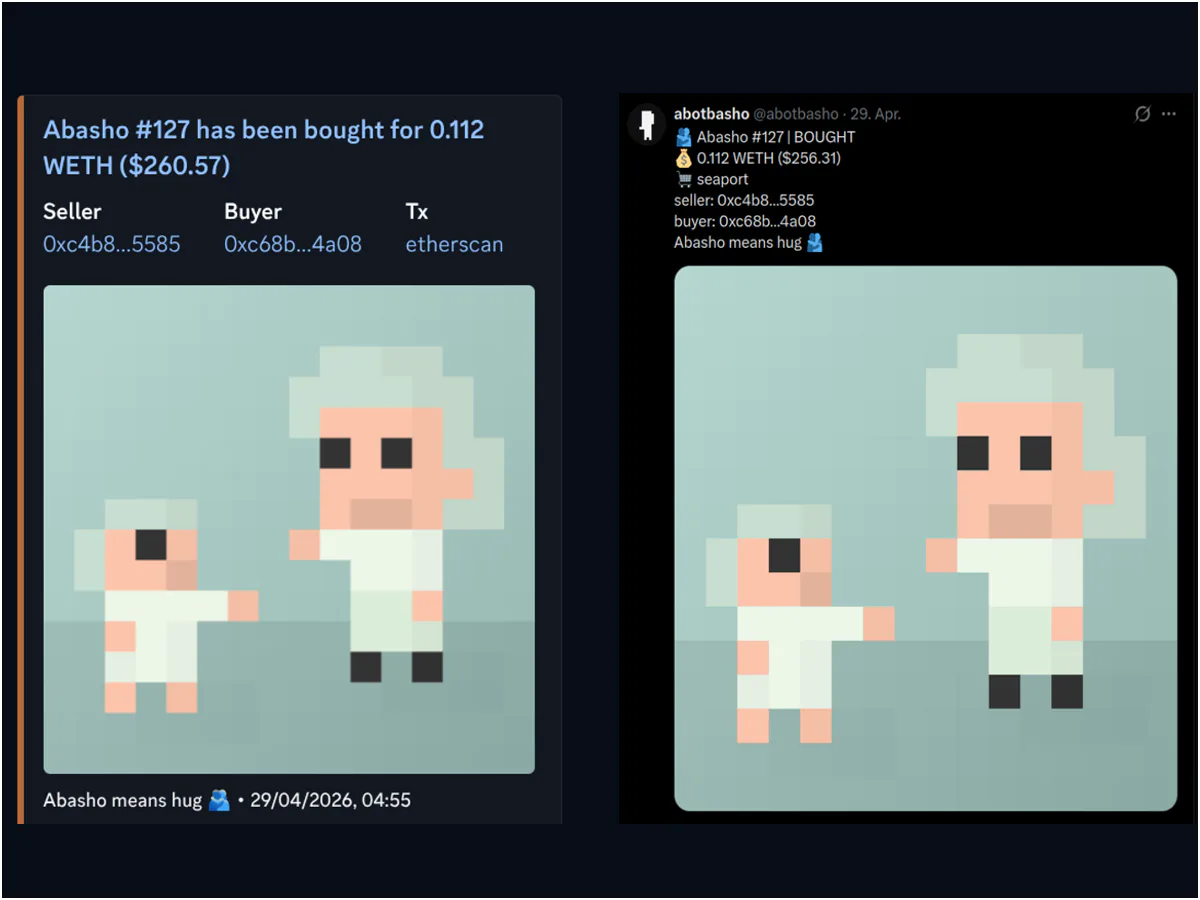
abotbasho: The Self-Hosted NFT Sales Bot for Discord & Twitter
An open-source NFT sales bot for Discord and Twitter, built so I wouldn't have to hand my community channels to a third-party SaaS.
How to Create an NFT PFP Collection in 2026 (Free Generator, Step-by-Step)
End-to-end no-code walkthrough for building a 1k-10k PFP collection with the open-source abashoverse generator. Layers, rarity, rules, ERC-721/1155 metadata, export.
Comments
Connect your wallet to leave a comment.